
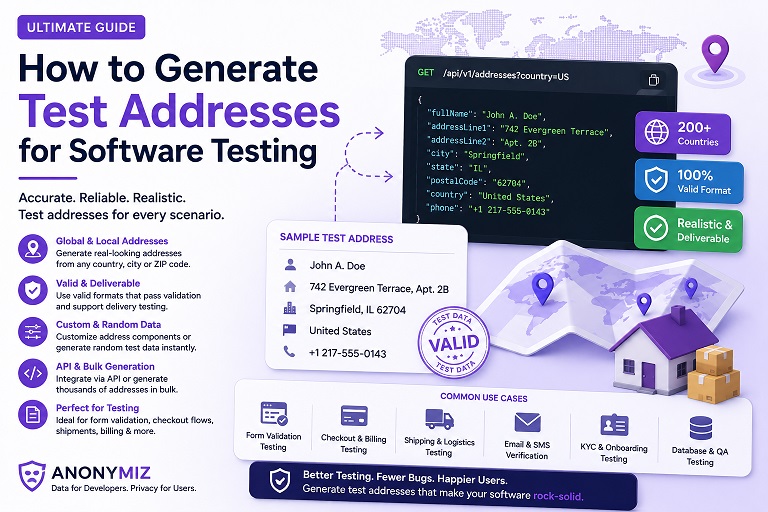
If you've ever typed your own home address into a staging checkout form to "just see if it works," you already know the problem this solves. Real addresses don't belong in test environments — they can end up in test databases that get restored to other environments, forwarded in bug reports, or left sitting in a shared staging database indefinitely. Address generated fake addresses instead, and the risk disappears entirely.
Why real addresses cause real problems in testing
Three things tend to go wrong when real addresses end up in test data. First, staging environments are usually less secure than production, so any real personal data sitting there is a genuine exposure. Second, real addresses get copied — into bug reports, screen recordings, shared spreadsheets — far more often than anyone intends. Third, if a test address happens to be a real, currently-occupied address, any automated notification or shipping-label generation that accidentally fires from a test environment can genuinely reach that person.
None of this is a reason to avoid realistic-looking data. Address validation, shipping-cost calculators, and autocomplete widgets all need to be tested against addresses that follow the correct format for a given country — a fake address is only useful for testing if it actually looks like a real one.
What a good fake address needs
A usable test address needs more than a random string of characters. At minimum it should include:
- A plausible street number and street name
- A real city name for the selected country
- A state, province, or county field where the country's addressing system uses one
- A postal code in the correct format and length for that country
This is exactly what the Fake Address Generator produces, for more than 10 countries, entirely in your browser — nothing you generate is sent to a server or logged anywhere.
Using it for shipping and checkout testing
For shipping-form and checkout testing specifically, generate a handful of addresses across different countries and use them to check that your shipping-cost logic, tax calculation, and address-validation rules all behave correctly for each region's format. Because every field is separated (street, city, state/county, postal code) rather than jammed into one block of text, you can copy individual fields directly into individual form inputs without manual reformatting.
The tool also supports bulk generation and CSV, JSON, or SQL export, so you can generate a batch of test addresses once and reuse the same set across a whole test suite instead of hand-typing a new one every time.
A quick checklist
- Never use your own or a coworker's real address in a test environment, even "just this once"
- Generate addresses for every country your product actually ships to, not just your own
- Store a small reusable set of test addresses in your test fixtures rather than regenerating ad hoc each time
- Confirm your postal-code validation logic actually rejects the wrong length or format for a given country
Try the Fake Address Generator directly, or use the broader Fake Name & Identity Generator if you need a full identity — name, email, and phone number — alongside the address.


