Long URLs are ugly, hard to share, and full of tracking parameters you probably do not want visible. A URL shortener converts any long link into a compact, shareable URL that redirects to the original when clicked. This guide explains how URL shorteners work, what the best free options are, and why the Anonymiz URL Shortener goes one step further by hiding your referrer at the same time.
What Is a URL Shortener?
A URL shortener is a service that takes a long URL and creates a shorter alias that redirects to it. When someone clicks the short URL, the shortener's server looks up the destination and redirects the user there automatically — typically in under 100 milliseconds.
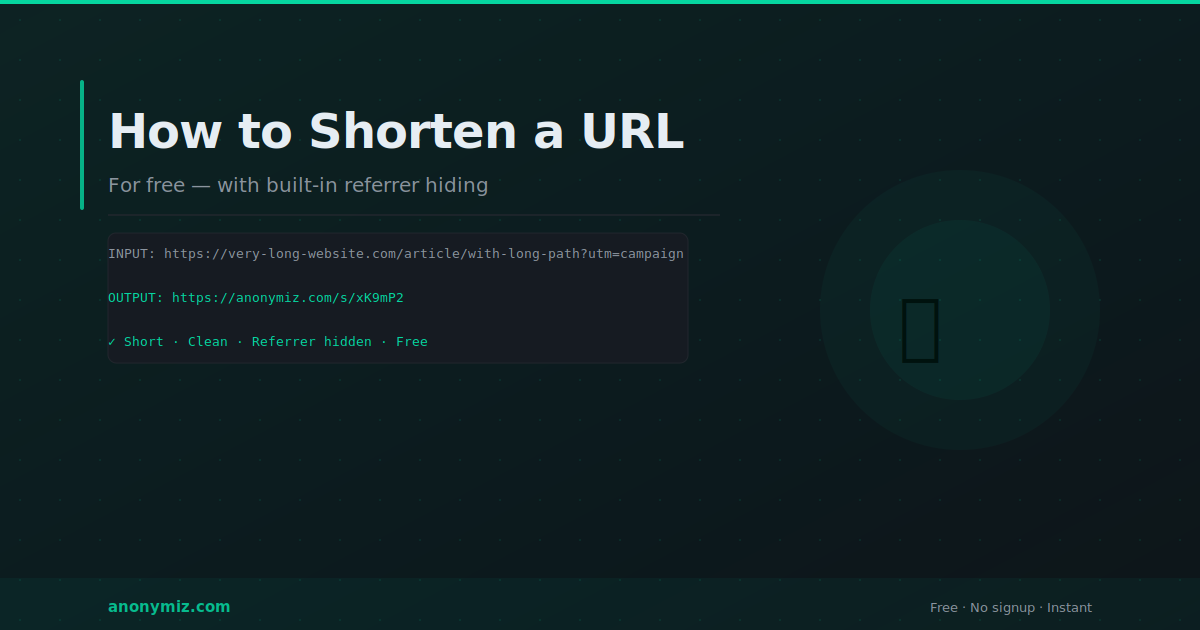
The short URL contains a unique code — usually 6 to 8 random characters — that maps to the original URL in the shortener's database. The original URL can be any length and contain any characters without affecting the short version.
Why Shorten URLs?
Cleaner sharing
A URL like https://www.example.com/blog/category/post-title/?utm_source=newsletter&utm_medium=email&utm_campaign=june-2026 is unwieldy in emails, social media posts, printed materials, or spoken communication. A short URL like anonymiz.com/s/xK9mP fits anywhere.
Character limits
SMS messages, Twitter posts, and certain platforms have strict character limits. Short URLs save space for actual content.
Cleaner appearance
Short URLs look intentional and professional. Long URLs with tracking parameters look spammy and make users hesitant to click.
Hiding affiliate and tracking parameters
If you are sharing affiliate links or campaign URLs, a short URL hides the tracking parameters from view — though the parameters are still transmitted when the redirect fires.
How the Anonymiz URL Shortener Works Differently
Most URL shorteners simply redirect — when you click a short link, the shortener server receives the click and redirects you to the destination. The destination website receives a Referer header showing the shortener's domain, which reveals that you used a shortener but not specifically where the original link was shared.
The Anonymiz URL Shortener goes further: it actively strips the Referer header before redirecting, so the destination website receives no Referer information at all. This means the destination cannot determine that you used a shortener, cannot see where the original link was posted, and cannot correlate the click with a specific sharing context.
This matters for privacy-conscious sharing — when you share a link from a private forum, internal document, or sensitive context, the destination should not know where the click came from.
How to Shorten Any URL Free
Go to anonymiz.com/shorten-url, paste any URL into the input field, and click Shorten. You receive a short URL instantly. No account, no login, no limits. The short URL can be shared anywhere and will redirect to your original destination with no Referer header transmitted.
URL Shorteners and SEO
Short URLs do not directly hurt SEO when implemented correctly. Properly configured shorteners use 301 redirects, which pass link equity from the short URL to the destination. However, using a third-party shortener for your own site's internal links is not recommended — use descriptive, permanent URLs for your own content and reserve shorteners for external sharing contexts.
One SEO consideration worth noting: Google has stated it can follow redirect chains, including URL shortener redirects. However, each redirect in a chain adds a small amount of latency and dilutes link equity slightly. For SEO-critical links, direct URLs are always preferable to shortened versions.
URL Shortener vs Dereferer — What Is the Difference?
Both tools can hide referrer information, but they work differently and serve different purposes. A URL shortener creates a new short URL that redirects to your destination — you get a different URL that points to the same place. A dereferer — like the Anonymiz Dereferer — wraps any existing URL to strip its Referer without changing the visible URL structure. Use a shortener when you want a short URL for sharing. Use a dereferer when you want to keep the original URL recognisable but strip the Referer header from it.
Frequently Asked Questions
Do short URLs expire?
It depends on the service. Some commercial shorteners delete unused links after a period of inactivity. The Anonymiz URL Shortener creates permanent short links that do not expire.
Can I customise the short URL?
Some shorteners allow custom slugs — for example yourshortener.com/my-custom-name. This is useful for branded links or memorable URLs for marketing campaigns.
Are URL shorteners safe to click?
Reputable shorteners are safe. The risk with shortened URLs is that you cannot see the destination before clicking. If you receive an unsolicited short URL from an unknown source, use a URL preview tool or expand it with a service like CheckShortURL before clicking.