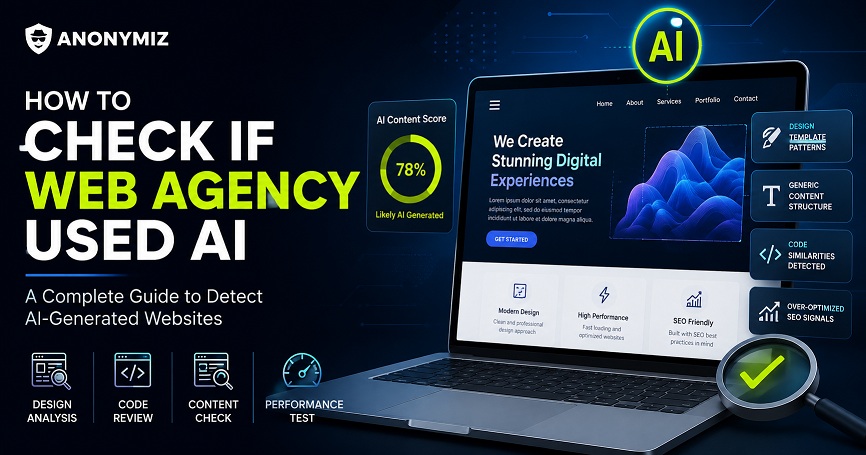
AI website builders have exploded in 2026. Framer AI, Wix ADI, Bolt.new, Lovable.dev, Webflow AI and a dozen others can generate a fully functional website from a single text prompt in under two minutes. The results look polished — sometimes indistinguishable from hand-coded sites.
But there are tells. AI builders leave fingerprints in the code, the DNS, the meta tags and the visual structure. Once you know what to look for, spotting an AI-built site takes about 30 seconds. Here are the seven most reliable giveaways — and how to use the Anonymiz AI Website Detector to check any site instantly.
1. The Meta Generator Tag
Most AI builders stamp their name directly into the HTML head. Open any page, view source, and search for <meta name="generator". Framer outputs generator=Framer. Webflow outputs generator=Webflow. Squarespace, Wix and Ghost do the same. This is the easiest single signal — many builders never bother hiding it.
2. CDN Domain Fingerprints
AI builders host assets on their own infrastructure. Framer sites load fonts and images from framerusercontent.com. Webflow sites pull from uploads-ssl.webflow.com. Wix uses static.wixstatic.com. Shopify serves from cdn.shopify.com. If you open the browser Network tab and see requests going to any of these domains, the builder is identified before you even look at the HTML.
3. JavaScript Bundle Names
Bolt.new and Lovable.dev generate React apps with recognisable bundle structures. Look for filenames like chunk-lovable, bolt-runtime or Vite build artifacts in predictable paths. Cursor IDE-generated projects often include // Generated by Cursor comments in the source. These are rarely scrubbed before deployment.
4. CSS Class Name Patterns
Hand-coded sites use descriptive class names like .hero-section or .nav-wrapper. AI-generated sites use algorithmic names: Framer outputs hashes like .framer-abc123. Webflow generates .w-nav, .w-container and .w-row throughout. Wix uses data-testid attributes with internal identifiers. These patterns are nearly impossible to fake manually.
5. DNS and Hosting Provider
Vercel and Netlify host the overwhelming majority of AI-generated apps — particularly those built with Bolt.new, Lovable.dev, v0 by Vercel, and Cursor. A CNAME pointing to *.vercel.app or *.netlify.app, or an A record resolving to a Vercel or Netlify IP range, is a strong signal. Similarly, sites on *.framer.app or *.webflow.io subdomains have not even bothered to connect a custom domain.
6. OpenAI and Anthropic API References
AI-powered web apps frequently make client-side calls to AI APIs. Check the Network tab for requests to api.openai.com, api.anthropic.com, generativelanguage.googleapis.com (Google Gemini) or api.x.ai (xAI Grok). Finding these in the browser network log confirms the site is not just built with AI — it actively uses AI at runtime.
7. HTML Comment Breadcrumbs
AI code generators frequently leave comments in the output. Bolt.new sometimes includes <!-- Generated with Bolt -->. Lovable.dev leaves component attribution comments. GitHub Copilot-assisted code often contains its own tell-tale comment patterns. Searching page source for words like "generated", "lovable", "bolt", "cursor" or "copilot" takes five seconds and catches a surprising number of sites.
How to Check Any Website Instantly
Doing all seven checks manually takes time. The Anonymiz AI Website Detector automates all of them in one request — it scans meta tags, CDN domains, JavaScript bundles, DNS records, CSS patterns and API references simultaneously and returns a verdict in seconds.
Just enter any URL and the tool tells you which AI builder was used, what tech stack it runs on, and what specific signals triggered the detection. It currently identifies over 20 AI builders and CMS platforms including Framer AI, Wix ADI, Webflow, Squarespace, Shopify, Bolt.new, Lovable.dev, Vercel v0, Duda AI, GoDaddy Airo, 10Web AI, Hostinger Horizons, Jimdo AI, Gamma.app and more.
Why Does It Matter?
Knowing whether a site was built with AI is useful in several situations. Developers use it to benchmark competitors or understand a site before building an integration. Recruiters and clients use it to verify whether a portfolio was built by hand or generated in two minutes. SEO professionals use it to identify thin AI-generated content farms. Security researchers use it to understand the attack surface of AI-hosted infrastructure.
Whatever your reason, the signals are there — you just need to know where to look. Or let the detector do it for you.