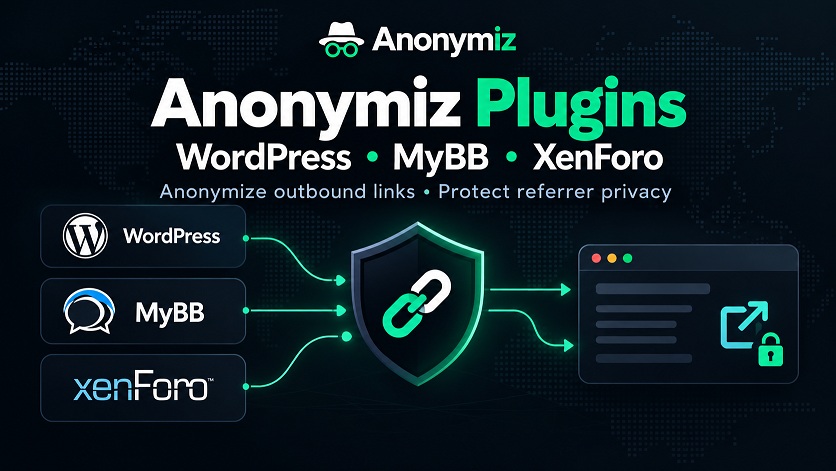
Site owners can now anonymize outbound links with a ready-made plugin instead of adding our JavaScript snippet by hand. We have released free integrations for WordPress, MyBB and XenForo, available on our plugins page.
What the plugins do
Each plugin sends the external links on your site through Anonymiz, so the sites you link to cannot see which of your pages the visitor came from. That keeps private forum threads, member areas and internal pages from leaking through the referrer. Links to your own site, email links and links that already go through Anonymiz are left alone, and you can list domains to exclude, such as partners.
- WordPress (6.2 or newer) covers posts, pages, comment text, commenters' website links and widgets, each with its own switch under Settings > Anonymiz.
- MyBB 1.8 covers posts, private messages and signatures, with an on/off switch and an exclusion list in the forum settings.
- XenForo 2.2 and newer covers links in forum posts, with options under Setup > Options.
Your content is not changed
All three plugins rewrite links only when a page is displayed. Nothing in your database is edited, so switching a plugin off restores every original link immediately. The plugins make no network requests of their own and collect no data.
Things to know
- SEO. Rewritten links point at anonymiz.com instead of the destination, so they do not pass link value to the sites you link to. For links posted by users, that is usually what you want.
- XenForo link previews. Rich link previews, the cards XenForo shows for some links, are not rewritten in this first version.
- A lighter option. If you only need to hide the referrer without a redirect, sending the header Referrer-Policy: no-referrer does that for your whole site.
Installing
Download the plugin from the plugins page. In WordPress, upload the zip under Plugins > Add New > Upload Plugin. For MyBB, copy the files into your forum folder and install the plugin from the Plugins page. For XenForo, use Install/upgrade from archive in the admin panel. Listings in the official WordPress, MyBB and XenForo directories will follow. Found a problem? Tell us.