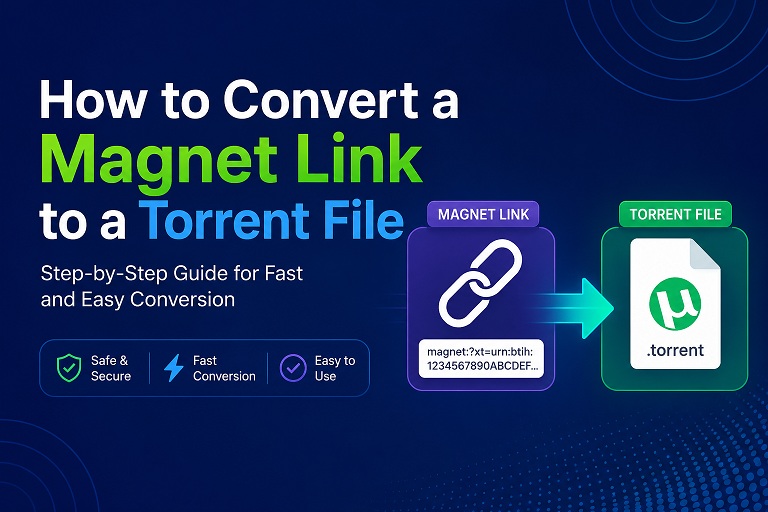
A complete step-by-step guide using Anonymiz's free online Magnet to Torrent converter — with tracker injection for faster downloads.
Key takeaway: Converting a magnet link to a .torrent file gives you a portable, shareable, and permanently accessible metadata file. With Anonymiz's free online tool, you can do this in seconds — directly in your browser, with no file uploads and no data sent to any server.
What Is a Magnet Link?
A magnet link is a URI that identifies a file by its content hash rather than by its location. It typically starts with magnet:?xt=urn:btih: followed by a 40-character hash. Unlike a torrent file, a magnet link contains no metadata — no file names, sizes, or folder structures. Instead, your torrent client must retrieve this information from the DHT network (Distributed Hash Table) or from connected peers.
What Is a Torrent File?
A .torrent file is a small metadata file that contains all the information needed to download a file via BitTorrent: file names, sizes, piece hashes, and tracker URLs. Unlike a magnet link, a torrent file works offline — you can store it, share it, and open it in any torrent client without needing an active internet connection to fetch metadata.
Why Convert a Magnet Link to a Torrent File?
- Offline accessibility: Torrent files contain all metadata locally. No need to wait for DHT lookups every time you want to start a download.
- Better compatibility: Some older download clients, NAS devices, and enterprise networks work better with
.torrentfiles than with magnet links. - Easy organization: You can rename, categorize, and back up torrent files just like any other file — something you can't do with plain-text magnet links.
- Shareability: Send a single
.torrentfile to anyone, and they can start downloading immediately without needing to paste a long magnet URI. - Faster start: With a torrent file, your client knows the file structure upfront and can begin downloading pieces immediately.
Convert Magnet to Torrent Using Anonymiz (Free & Private)
The Anonymiz Magnet to Torrent Converter is a browser-based tool that turns any magnet link into a downloadable .torrent file in just a few clicks. Here's what makes it stand out:
🔗 4 Download SourcesFetches from iTorrents, Torrage, BTCache, and TGX Cache.
📡 20+ Trackers InjectedAutomatically adds public trackers for more peers and faster downloads.
🟢 Live Tracker StatusSee which trackers are online and responding in real time.
🔒 100% PrivateEverything runs in your browser. Nothing is sent to any server.
Step-by-Step Guide
1 Paste your magnet link
Copy a magnet link from any torrent site. Paste it into the input field on the converter page.
2 Enable tracker injection
Keep the "Inject public trackers" option checked. This adds 20+ working public trackers to your torrent file.
3 Click "Convert"
The tool extracts the info-hash from your magnet link and generates download links from public torrent caches.
4 Download the .torrent file
Click any of the available source buttons (iTorrents, Torrage, BTCache, or TGX Cache).
5 Open in your torrent client
Double-click the downloaded .torrent file to open it in qBittorrent, uTorrent, Deluge, or any other BitTorrent client.
6 Add trackers manually (optional)
For even faster speeds, copy all the trackers displayed on the page and paste them into your client under Properties > Trackers.
Public Trackers Included
Anonymiz automatically injects over 20 public trackers into every torrent file you generate. Here are some of them:
https://opentracker.i2p.rocks:443/announce
https://tracker.nanoha.org:443/announce
https://tracker.tamersunion.org:443/announce
https://tracker.gbitt.info:443/announce
udp://open.demonii.com:1337/announce
udp://tracker.openbittorrent.com:6969/announce
udp://tracker.opentrackr.org:1337/announce
udp://tracker.coppersurfer.tk:6969/announce
udp://open.stealth.si:80/announce
udp://tracker.torrent.eu.org:451/announce
Alternative Ways to Convert Magnet to Torrent
Method 1: Using a Torrent Client (qBittorrent)
Open qBittorrent, click "Add Torrent Link", paste your magnet link, wait for metadata, then click "Save as .torrent file".
Method 2: Using Command-Line Tools
Python-based tools like magnet2torrent and demagnetize can convert magnet links via the DHT network.
💡 Pro tip: The command-line approach is powerful but requires technical setup. For most users, the Anonymiz web tool is the simplest and most private choice.
Frequently Asked Questions
❓ Is Anonymiz's converter free?
Yes — completely free, with no usage limits.
❓ Is my magnet link sent to your servers?
No. Everything runs locally in your browser. No data is uploaded.
❓ Why should I inject trackers?
Trackers help your client discover more peers, leading to faster downloads.
❓ What if one download source doesn't work?
The tool provides four sources. If one fails, simply try another.
🔄 Ready to Convert Your Magnet Link?
It takes just seconds — no sign-up, no uploads.
Found this guide useful? Share it with others who need to convert magnet links to torrent files.
Anonymiz.com/magnet2torrent • 100% browser-based