Every time you click a link on the internet, your browser quietly sends a piece of information to the destination website telling it exactly where you came from. This mechanism — the HTTP Referer header — is one of the oldest parts of the web, built into the HTTP protocol in 1996. Yet most internet users have never heard of it, and most developers do not fully understand its privacy implications.
This complete guide explains everything: what the HTTP referrer is, how it works at a technical level, what information it exposes, how servers and analytics platforms use it, the legal implications under GDPR and CCPA, and what you can do to control or eliminate it.
The Origin of the HTTP Referer Header
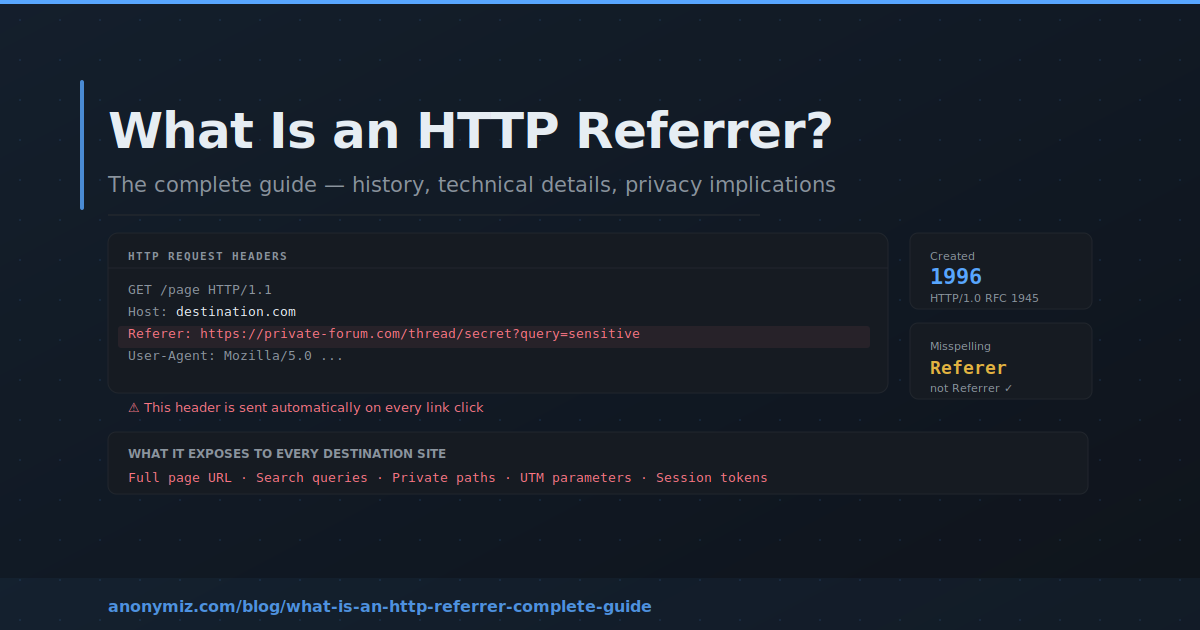
The Referer header was introduced in HTTP/1.0, specified in RFC 1945 in 1996. Its original purpose was straightforward and benign: allow web servers to understand where their traffic was coming from, enabling webmasters to see which external sites were linking to them and sending visitors their way.
The famous misspelling — Referer instead of Referrer — happened in the original specification and became permanently embedded in the standard. Changing it now would break every existing web server, browser, and application that reads the header, so the typo lives on. The correct English spelling "referrer" is used in newer APIs like the JavaScript document.referrer property and the Referrer-Policy header, creating an inconsistency that confuses developers to this day.
How the HTTP Referer Header Works
When you are on Page A and click a link to Page B, your browser makes an HTTP GET request to Page B's server. Included in that request is a Referer header containing the full URL of Page A. The server for Page B receives this header along with the request and can log it, process it, pass it to analytics tools, or ignore it entirely.
Here is what a typical HTTP request with a Referer header looks like:
GET /destination-page HTTP/1.1
Host: www.destination.com
Referer: https://www.source-website.com/article/the-page-you-came-from?utm_source=newsletter&utm_campaign=june
User-Agent: Mozilla/5.0 (Windows NT 10.0; Win64; x64)
Accept: text/html
Notice that the full URL is sent — not just the domain, but the complete path including any query parameters. This means if the source URL contains search terms, session tokens, tracking parameters, or any other sensitive data in its query string, all of that is transmitted to the destination server in the Referer header.
What the Referer Header Can Contain
The contents of the Referer header depend on the page you were visiting before clicking. In the most privacy-invasive cases, the Referer can contain:
Your search query
When you search for something on a search engine and click a result, the Referer header sent to that result's website contains the full search engine URL — including your search query as a query parameter. A user searching for "symptoms of depression" and clicking a medical site would send that search term directly to the medical site's server via the Referer header. This is why many search engines moved to HTTPS — when navigating from HTTPS to HTTP, browsers strip the Referer header entirely, providing some protection. But HTTPS-to-HTTPS navigation still sends the full Referer in most configurations.
Private page URLs
If you are logged into a private system — an internal company wiki, a medical patient portal, a banking dashboard — and you click an external link from that page, the destination site receives the full URL of the private page you were on. This can expose the existence of internal systems, the structure of private URLs, and in some cases session tokens or other sensitive parameters embedded in the URL.
Tracking and UTM parameters
Marketing URLs routinely contain UTM parameters, affiliate identifiers, campaign codes, and A/B test variants. When users click outbound links from these URLs, all those parameters are transmitted to the destination in the Referer header — potentially revealing campaign details, affiliate relationships, and tracking infrastructure to competitors or third parties.
Social media context
Links clicked from social media platforms, private groups, or direct messages transmit the social platform's URL as the referrer — sometimes including path information that reveals which group, profile, or conversation the link was shared in.
Who Receives and Reads Referer Data
The Referer header is received by every server that processes your HTTP requests. This includes:
The destination website
The primary recipient. Most web servers log every request including headers, meaning Referer data ends up in server access logs by default. Web analytics platforms like Google Analytics automatically capture and report Referer data, making it the foundation of traffic source analysis.
Content Delivery Networks (CDNs)
CDNs like Cloudflare, Fastly, and AWS CloudFront sit between users and origin servers, processing every request including its headers. CDN providers have access to Referer data for every request they handle — which for major CDNs means a significant fraction of all web traffic globally.
Third-party scripts
When a webpage loads third-party JavaScript — analytics, advertising, chatbots, heatmap tools — those scripts can access the Referer through the JavaScript document.referrer property and transmit it to their own servers. A typical commercial website might load 10 to 20 third-party scripts, each of which gains access to the referring URL.
Advertising networks
Ad serving networks receive Referer data as part of ad requests. When a page loads an ad, the ad server receives a request containing the URL of the page the ad is being served on, enabling advertisers to target ads based on which pages users are visiting and which sites referred them.
The Referer in Analytics — Legitimate Uses
Despite its privacy implications, the Referer header has genuinely valuable legitimate uses that have shaped how the web works:
Traffic source analysis
Understanding which websites, search engines, and campaigns send traffic to your site is fundamental to web analytics. Without Referer data, website owners would have no visibility into whether their SEO efforts are working, which social media posts drive visits, or which advertising campaigns generate clicks. The entire field of web analytics is built substantially on Referer data.
CSRF protection
Cross-Site Request Forgery (CSRF) attacks trick users into making unintended requests to sites they are authenticated on. Some CSRF protection mechanisms validate the Referer header to confirm that form submissions originated from the same domain, rejecting requests where the Referer indicates an external origin. Stripping Referer headers entirely can break this protection mechanism.
Content hotlink prevention
Websites serving images, videos, or files can use the Referer header to detect and block hotlinking — where other sites embed their resources directly, consuming bandwidth without attribution. By checking that the Referer matches their own domain, servers can serve resources to legitimate visitors while blocking direct embedding from external sites.
Debugging and support
When users encounter errors or need support, knowing which page they came from helps diagnose navigation flows and identify broken links. Development teams use Referer data extensively during debugging to understand user journeys and identify unexpected traffic patterns.
Privacy Implications — Why This Matters in 2026
The privacy implications of the Referer header have grown significantly as the web has become more sophisticated and more personal. Several developments have made Referer leakage more serious than it was when the header was designed:
URLs contain more sensitive data than they used to
In the early web, URLs were mostly static page addresses. Today, URLs routinely contain user identifiers, session tokens, search queries, personalisation parameters, A/B test variants, and authentication codes. The Referer header transmits all of this to every external site that receives a click from your pages.
Data aggregation at scale
Individual Referer data points are not sensitive in isolation. But advertising networks and analytics platforms collect Referer data at enormous scale — across millions of websites and billions of pageviews — enabling them to build detailed pictures of browsing behaviour that go far beyond what any individual piece of data would reveal.
GDPR classification
The European Court of Justice confirmed in its Breyer judgment that IP addresses constitute personal data under EU law when an ISP can link them to an individual. The same logic applies to Referer data — a sequence of referrers combined with an IP address or other identifier can constitute personal data. Under GDPR, the collection, processing, and storage of Referer data must have a lawful basis and must be disclosed in privacy policies.
How Browsers Handle the Referer Header
Modern browsers have introduced rules that limit Referer header transmission in certain situations:
HTTPS to HTTP downgrade
When navigating from a secure HTTPS page to an insecure HTTP page, all major browsers strip the Referer header entirely. This prevents secure page URLs from being transmitted unencrypted. However, this protection only applies to cross-protocol navigation — HTTPS to HTTPS navigation still sends the full Referer by default.
Private browsing mode
Contrary to popular belief, private or incognito browsing does not suppress Referer headers. The Referer header is sent exactly as in normal browsing — private mode only prevents local storage of browsing history and cookies. The destination server still receives full Referer information.
Browser default Referrer-Policy
Most browsers now default to a Referrer-Policy of strict-origin-when-cross-origin, which sends the full URL as Referer for same-origin requests but only sends the origin (scheme and host, no path) for cross-origin requests. This represents a significant privacy improvement over the original behaviour of sending the full URL everywhere, but still transmits origin information to all external sites.
The Referrer-Policy Header
Website owners can control what Referer information their pages send to external sites using the Referrer-Policy HTTP response header. The available policies in order of increasing privacy:
unsafe-url — sends the complete URL including path and query string for all requests. The least private option, equivalent to original HTTP behaviour. Not recommended.
no-referrer-when-downgrade — sends full URL for same-protocol requests, no Referer for HTTPS-to-HTTP downgrades. The old browser default.
origin — sends only the scheme and host (e.g. https://yoursite.com) for all requests, never the path or query string.
origin-when-cross-origin — sends the full URL for same-origin requests, only the origin for cross-origin requests.
strict-origin-when-cross-origin — sends full URL for same-origin, origin only for cross-origin HTTPS-to-HTTPS, nothing for HTTPS-to-HTTP. The current browser default and a good balance.
same-origin — sends the full URL only for same-origin requests, no Referer for cross-origin requests at all.
strict-origin — sends only the origin for same-protocol requests, nothing for HTTPS-to-HTTP downgrades.
no-referrer — sends no Referer header under any circumstances. Maximum privacy, but breaks some CSRF protections and analytics.
How to Check What Referer You Are Sending
The easiest way to understand what Referer data any link you share is transmitting is to use the Anonymiz Dereferer. It strips the Referer header from any link, creating a clean anonymous URL that tells the destination nothing about where the click originated. Paste any URL and get an anonymous version in seconds — no account, no limits.
For developers wanting to inspect Referer headers directly, the Chrome DevTools Network panel shows all request headers including Referer for every resource your browser loads.
Frequently Asked Questions
Is the Referer header sent for all types of requests?
The Referer header is sent for navigational requests (clicking links), form submissions, and requests for subresources like images and scripts embedded in pages. The exact behaviour depends on the Referrer-Policy in effect. Direct navigation (typing a URL or clicking a bookmark) sends no Referer header.
Can JavaScript access the Referer?
Yes — the document.referrer property in JavaScript contains the referring URL for the current page, subject to the same Referrer-Policy restrictions as the HTTP header. Third-party scripts loaded on a page can read document.referrer and transmit it to their own servers.
Does using a VPN hide the Referer header?
No. A VPN encrypts traffic between your device and the VPN server, hiding it from your ISP. But the VPN server forwards your original HTTP requests to the destination, including the Referer header, unchanged. The destination site still receives the full Referer. To suppress Referer data you need to use a dereferer, configure your browser's Referrer-Policy, or use browser extensions that modify outgoing headers.
What is the difference between Referer and Referrer-Policy?
The Referer header is sent by your browser with outgoing requests, containing the URL of the page you came from. The Referrer-Policy header is sent by web servers with their responses, instructing your browser how much Referer information to include in subsequent requests from that page. The Referer header is the data; the Referrer-Policy header is the instruction controlling what data to send.