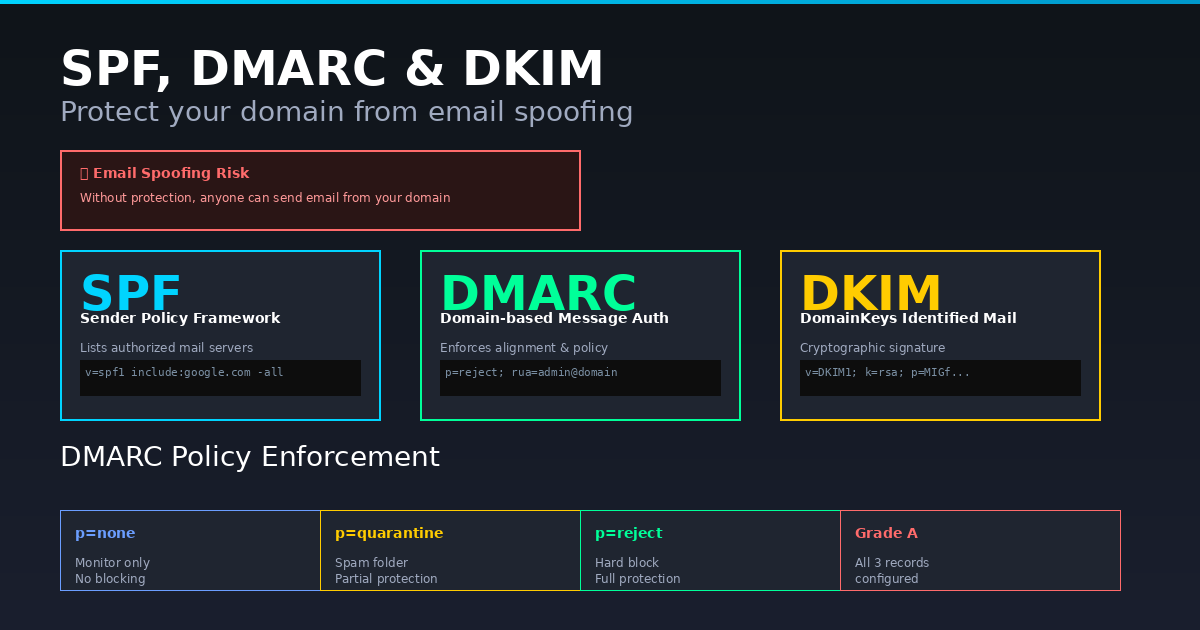
Someone can send email pretending to be from your domain — right now, without any access to your account. SPF, DKIM, and DMARC are the three DNS records that stop this. Here is what each one does and how to check yours.
What Is Email Spoofing?
Email spoofing is when someone sends email with a forged "From" address — making it appear to come from your domain when it does not. This is used for phishing attacks against your customers, business email compromise (BEC) fraud, and spam campaigns that damage your domain reputation.
SPF (Sender Policy Framework)
SPF is a DNS TXT record that lists which servers are authorised to send email for your domain. When a receiving server gets an email claiming to be from you, it checks your DNS for an SPF record and verifies the sending server's IP is on the list.
v=spf1 include:_spf.google.com ~allThe ~all (softfail) marks unauthorised senders as suspicious but still delivers. The -all (hardfail) rejects them outright.
DKIM (DomainKeys Identified Mail)
DKIM adds a digital signature to every outgoing email. The private key signs the message. The public key is published as a DNS TXT record. Receiving servers verify the signature proves the email was not modified in transit and actually came from an authorised source.
DMARC (Domain-based Message Authentication, Reporting and Conformance)
DMARC tells receiving servers what to do when an email fails SPF or DKIM checks: nothing (monitor), quarantine (spam folder), or reject (block entirely). It also sends you reports so you can see who is sending email using your domain.
v=DMARC1; p=quarantine; rua=mailto:reports@yourdomain.comHow to Check Your SPF, DKIM and DMARC
Use Anonymiz SPF/DMARC Checker to instantly look up your domain DNS records and check for misconfigurations. Free, no account needed.
Recommended Setup
- Set up SPF first — list all your email sending services.
- Configure DKIM in your email provider (Google Workspace, Microsoft 365, etc.).
- Add DMARC with
p=noneto monitor first, then move top=quarantine, thenp=reject.