You spent hours writing a blog post. You share it on LinkedIn. The preview card shows no image, a truncated title, and the wrong description — or worse, nothing at all. Half the potential clicks vanish before anyone reads a word.
Meta tags and Open Graph tags are the hidden infrastructure that controls how your content appears everywhere it gets shared. Getting them right is one of the highest-ROI technical fixes available to any website owner. This guide explains exactly what they are, what each one does, and how to check and fix them in minutes.
What Are Meta Tags?
Meta tags are snippets of HTML placed in the <head> section of a webpage. They are invisible to visitors but read by search engines, social media platforms, messaging apps, and browser extensions. They answer three fundamental questions: what is this page called, what is it about, and how should it look when shared?
There are two categories worth knowing: standard meta tags that search engines read, and Open Graph tags that social platforms read. They overlap but are not identical — a page can have a perfect SEO title and a broken social preview, or vice versa.
The Essential Meta Tags Every Page Needs
Title Tag
The single most important tag on any page. It appears in browser tabs, search engine results, and as the default bookmark name. The optimal length is 50 to 60 characters — long enough to be descriptive, short enough not to be truncated in Google results.
A good title tag: Meta Tag Checker — View Any Website's OG Tags Free | Anonymiz
A bad title tag: Home or Welcome to Our Website — We Offer Many Great Services and Products for Your Needs
Meta Description
The paragraph that appears under your title in search results. Google often rewrites it but still reads it for context. Aim for 150 to 160 characters — enough for two full sentences. Include your primary keyword naturally and end with a mild call to action.
A good meta description answers: what does this page do, who is it for, and why should I click?
Meta Keywords
Largely irrelevant for Google since 2009 — Google officially ignores them. Still read by some minor search engines and directory tools. Worth including a comma-separated list of your 5 to 8 primary keywords, but do not spend more than two minutes on it.
Robots Tag
index,follow means crawl this page and follow its links — the default for most pages. noindex tells search engines to exclude the page from results. Use noindex for thank-you pages, admin pages, duplicate content, and staging environments. Never accidentally set your homepage to noindex.
Canonical URL
Tells search engines which URL is the "real" version of a page when duplicate or similar content exists at multiple URLs. Essential for e-commerce sites with filtered product pages, blogs that syndicate content, and any site with both www and non-www versions. Missing canonicals cause duplicate content penalties.
Open Graph Tags — What Controls Social Previews
Open Graph (OG) tags were created by Facebook in 2010 and are now the standard for social previews across Facebook, LinkedIn, Twitter/X, Slack, Discord, WhatsApp, and iMessage link previews. They override the standard meta tags when a platform renders a preview card.
og:title
The title shown in the preview card — can be different from the page title tag. Often slightly longer and more descriptive since you have more space in a card than in a search result. Recommended length: up to 95 characters.
og:description
The description shown under the title in the preview card. Can be up to 200 characters for most platforms. Write it to entice a click from someone scrolling a feed — more conversational and benefit-focused than a meta description.
og:image
The image displayed in the preview card. This is the single tag with the most impact on click-through rates. A compelling OG image can increase social shares by 3 to 5 times. Requirements:
- Minimum size: 1200 x 630 pixels for optimal display on all platforms
- Aspect ratio: 1.91:1 for large cards (the standard), 1:1 for square cards
- Format: JPG or PNG — WebP has inconsistent support across platforms
- File size: Under 8MB, ideally under 1MB for fast loading
- Content: Include text overlay with the page title — cards without text get fewer clicks
og:type
Describes the content type. Use website for homepages and tool pages, article for blog posts and news, product for product pages. This affects how some platforms categorise and index your content.
og:url
The canonical URL for the page as far as social platforms are concerned. Should match your canonical tag. Prevents the same content from being counted as shares on multiple URLs.
Twitter Card Tags
Twitter/X has its own set of tags that override Open Graph when present. The most important:
| Tag | Value | Effect |
|---|---|---|
| twitter:card | summary_large_image | Large image card — highest click-through rates |
| twitter:card | summary | Small square image with text beside it |
| twitter:title | Your title | Overrides og:title on Twitter |
| twitter:description | Your description | Overrides og:description on Twitter |
| twitter:image | Image URL | Overrides og:image on Twitter |
If you only set OG tags and no Twitter tags, Twitter will fall back to your OG tags — which is fine for most sites. Only set explicit Twitter tags if you want different content on Twitter than on other platforms.
Common Meta Tag Mistakes and How to Fix Them
Missing og:image
The most common and most damaging mistake. When og:image is missing, social platforms show a tiny generic icon or no image at all. Text-only link previews get dramatically fewer clicks than image cards. Fix: add an og:image tag pointing to a 1200x630px image on every important page.
og:image too small
Images smaller than 600x315px get rejected by Facebook and shown as tiny thumbnails. Images smaller than 1200x630px look blurry on retina displays. Fix: always generate OG images at exactly 1200x630px.
Title tag too long
Google truncates titles at approximately 600 pixels of width — usually around 60 characters. A truncated title looks incomplete and unprofessional in search results. Fix: keep titles under 60 characters and put the most important keywords first.
Duplicate meta descriptions
Using the same meta description on multiple pages confuses search engines and reduces click-through rates because the snippet looks identical in search results. Fix: write unique meta descriptions for every page, especially high-traffic pages.
Meta description too short
Descriptions under 70 characters leave valuable space empty. Google will often pull random text from the page instead, which is usually worse than what you would write. Fix: aim for 140 to 155 characters — two full sentences.
No canonical tag
Without canonical tags, Google may index multiple versions of the same content and split ranking signals between them. Fix: add a self-referencing canonical tag to every page, and make sure paginated pages and filtered URLs point to the correct canonical.
How to Check All Your Meta Tags in Seconds
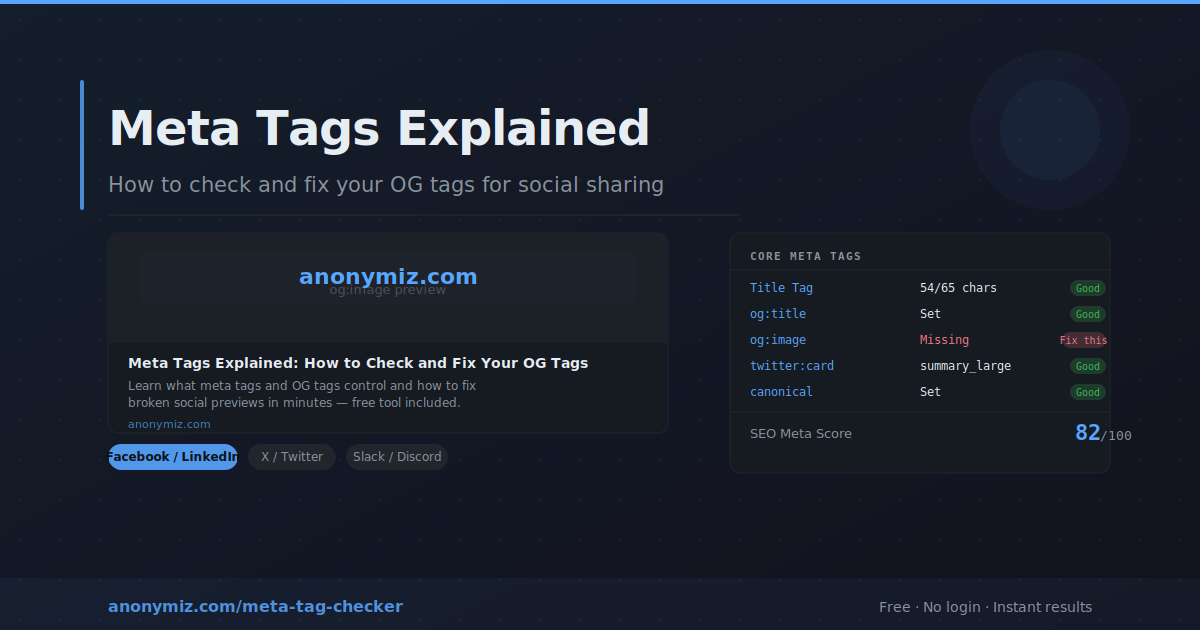
The fastest way to audit any page is the Anonymiz Meta Tag Checker. Enter any URL and it instantly fetches the live page and shows:
- An SEO Meta Score from 0 to 100 with a clear pass or fail breakdown
- Live social preview cards showing exactly how the page looks when shared on Facebook, LinkedIn, X/Twitter, and Slack
- Every meta tag with character counts, good/warning badges, and missing tag alerts
- Full Open Graph and Twitter Card tag inspection
No account needed, no limits, completely free.
How to Add OG Tags to Your Website
WordPress
Install Yoast SEO or Rank Math — both add full OG tag support with a visual preview editor in the post editor. No coding required.
Plain HTML / PHP
Add these tags inside the <head> element of every page:
Start with the standard tags: meta name="description", meta name="robots", and link rel="canonical". Then add the OG block: og:title, og:description, og:image, og:type, and og:url. Finally add Twitter Card tags: twitter:card set to summary_large_image, twitter:title, twitter:description, and twitter:image.
Shopify
OG tags are automatically generated from product titles and images. To customise them, edit the theme.liquid file in the theme editor and add your custom OG tag block in the head section.
Webflow
Open Page Settings for each page, scroll to the SEO section, and fill in the Open Graph title, description, and image. Webflow handles all the tag generation automatically.
The Quick Fix Checklist
- Every page has a unique title tag under 60 characters
- Every page has a unique meta description between 140 and 155 characters
- og:image is set and points to a 1200x630px image
- og:title and og:description are set and different from the meta title and description
- og:type is correct for the content type
- twitter:card is set to summary_large_image
- Canonical URL is set and matches the intended URL
- Robots tag is index,follow on all public pages
Run the Anonymiz Meta Tag Checker on your homepage, your most important blog post, and your highest-traffic tool or product page. Fix whatever scores below 80 first. The whole process takes under 30 minutes and the click-through improvements last for years.
Frequently Asked Questions
Do meta keywords still matter for SEO?
No — Google has ignored the meta keywords tag since 2009. Bing also officially ignores it. Include them if your CMS makes it easy, but they have zero ranking impact in any major search engine.
How quickly do social platforms update their cache after I fix OG tags?
Facebook and LinkedIn cache OG data aggressively. After fixing your tags, use the Facebook Sharing Debugger (developers.facebook.com/tools/debug) to force a cache refresh. LinkedIn has a similar Post Inspector tool. Twitter/X updates faster — usually within a few hours without any action needed.
Should og:title be the same as my title tag?
They can be the same, but do not have to be. The title tag is optimised for search engines — keyword-forward and concise. The og:title is optimised for social feeds — can be slightly more conversational and benefit-focused. When in doubt, using the same value is fine.
What happens if I have no og:image?
Social platforms show either a tiny generic placeholder icon or no image at all. On Facebook and LinkedIn this dramatically reduces click-through rates. On WhatsApp and iMessage, the link shows as plain text with no preview. Always set og:image on any page you intend to share.
Can I use the same OG image on every page?
Technically yes, but it is not recommended. A generic site-wide OG image means every shared link from your site looks identical in social feeds. Unique per-page OG images increase click-through rates significantly because they visually communicate what the specific page is about.