You asked ChatGPT to write something. The output is accurate, well-structured, and completely unusable — it sounds like a press release written by a committee. Every sentence is the same length. Every transition is "Furthermore" or "It is important to note that." The whole thing reads like nobody wrote it, because nobody did.
This is the central problem with AI-generated text in 2026: it is correct but lifeless. Here is how to fix it — and how to do it in seconds with a free tool.
Why AI Text Sounds Robotic
Large language models generate text by predicting the statistically most likely next word. This produces writing that is always technically correct but never surprising. The result has four consistent problems:
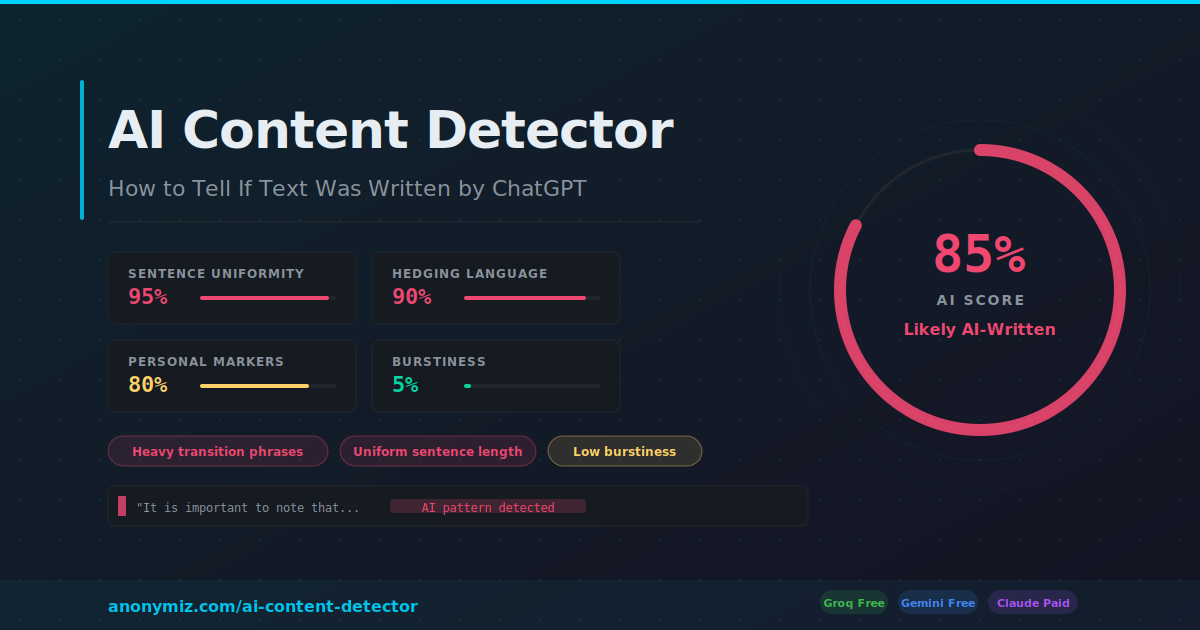
- Uniform sentence length — every sentence lands between 15 and 25 words. Human writers use one-word sentences. And sixty-word sentences that pile clause upon clause until the point finally arrives somewhere in the middle. AI never does either.
- Filler transition phrases — "Furthermore", "Moreover", "It is worth noting", "In conclusion", "This has significant implications". No human uses all of these. ChatGPT uses all of them in three paragraphs.
- Zero personality — no opinions, no humour, no self-awareness. AI hedges everything to avoid being wrong. The result is writing that commits to nothing.
- Generic examples — AI pulls examples from its most common training data. Every business example involves Uber, Netflix, or Amazon. Every student example involves "a high school student named Alex."
What "Humanizing" Actually Does
Humanizing AI text is not about making it undetectable — it is about making it readable. The goal is to restore the qualities that make writing engaging: rhythm variation, specific concrete details, genuine voice, and the occasional imperfection that signals a human made real choices.
A good humanizer does four things:
- Breaks up uniform sentence lengths — adding short punchy sentences and occasional longer flowing ones
- Strips transition phrases and replaces them with natural connective tissue
- Adds specificity — replacing "many businesses" with actual numbers, replacing "various challenges" with named ones
- Injects tone — whether that is casual, professional, academic, or creative depending on the use case
The 5 Writing Styles — Which One to Use
The Anonymiz Humanize AI Text tool offers five styles. Here is when to use each:
| Style | Best For | What It Changes |
|---|---|---|
| Natural | Blog posts, articles, general content | Varies rhythm, removes filler phrases, adds conversational flow |
| Casual | Social media, emails to friends, informal copy | Contractions, shorter sentences, informal vocabulary, personality |
| Professional | Business emails, reports, LinkedIn posts | Confident tone, active voice, removes hedging while keeping formality |
| Academic | Essays, research papers, assignments | Preserves structure and citations, varies sentence patterns, removes AI markers |
| Creative | Stories, marketing copy, brand voice | Adds metaphor, unexpected word choices, emotional resonance |
How to Humanize AI Text in 3 Steps
- Paste your AI-generated text into the input box at anonymiz.com/humanize-ai-text
- Choose your writing style — Natural works for most use cases. Academic is best for student work. Casual for anything going on social media.
- Choose your AI engine — Groq is free and fastest. Gemini is free via Google. Claude gives the highest quality rewrite but requires API credits.
The rewritten text appears in seconds. Copy it directly or make your own edits on top of the humanized version.
What to Do After Humanizing
Run the humanized text through the Anonymiz AI Content Detector to see how much the score dropped. A good humanization should bring an 85% AI score down to 30 to 40% or lower. If the score is still high, try a different writing style or manually add one or two personal specific details that only you would know.
Common Mistakes When Humanizing AI Text
- Humanizing without reading first — always read the AI output before humanizing. If the AI got facts wrong, the humanizer will confidently humanize the wrong facts.
- Using Academic style for casual content — Academic mode preserves formal structure. Use Natural or Casual for anything that will be read outside an academic context.
- Treating the output as final — humanized text is a starting point. Add your own experience, your own examples, your own voice on top. The tool gets you 80% of the way there.
- Over-humanizing — sometimes the AI draft is actually good. Do not humanize text that does not need it. Run the detector first, and only humanize if the score is above 60%.
Frequently Asked Questions
Will humanized text pass AI detectors?
It significantly reduces AI detection scores — typically from 80 to 90% down to 20 to 40%. Whether it passes any specific detector depends on the quality of the humanization and how thoroughly AI patterns are removed. No tool guarantees 100% bypass of all detectors, and we do not recommend using it to deceive educators or publishers.
Does it work on ChatGPT, Claude, Gemini, and other AI outputs?
Yes. The tool works on any AI-generated text regardless of which model produced it. The patterns it targets — uniform sentence length, transition phrases, low perplexity — are common to all major LLMs.
Is it free?
Yes — the Groq and Gemini engine options are completely free with no account required. Groq is the fastest option for most users.
How long can the text be?
The tool works best on 50 to 800 words. For longer pieces, split into sections and humanize each one separately — this also allows you to tailor the style for different parts of the document.
The Workflow That Actually Works
The most effective approach is to use AI and humanization together as a workflow: use ChatGPT or Claude to generate a first draft, run the draft through the AI Content Detector to identify the most robotic sections, paste those sections into the Humanizer, and add your own personal details and examples on top of the result. This produces content that is genuinely fast to create while sounding genuinely human.