You try to visit a website and it does not load. Is it down for everyone, or is there a problem on your end? This is one of the most common questions in web browsing — and it has a simple answer if you know where to look.
Down for Everyone or Just You?
When a website fails to load there are two scenarios. Either the server is genuinely offline — down for everyone — or the server is running normally but something between you and it is blocking your connection — down for you only. The fastest way to tell the difference is the Anonymiz Website Down Checker. It checks from an external server whether the site responds. If it reports the site as up but you cannot reach it, the problem is on your side.
Common Reasons It Appears Down for You Only
DNS cache issues
Your device caches DNS records — the mapping between domain names and IP addresses. If a site moved to a new server and your cache has the old IP, you are directed to the wrong place. Fix: flush your DNS cache. On Windows: ipconfig /flushdns. On Mac: sudo dscacheutil -flushcache. Or switch to a different DNS resolver temporarily — Cloudflare (1.1.1.1) or Google (8.8.8.8).
ISP blocking
Your ISP may block certain domains — common in countries with internet filtering, corporate networks, and educational institutions. Try accessing the site through a VPN or mobile data to confirm.
Browser cache or extensions
A cached broken version of a page or a browser extension interfering with loading can make a working site appear broken. Try a private window or different browser.
Common Reasons a Website Is Genuinely Down
Server outage
The hosting provider has an infrastructure issue. Major providers like AWS and Cloudflare publish status pages — check these if many sites appear down simultaneously.
Traffic spike or DDoS
A sudden influx of visitors can overwhelm a server. The site may be slow or intermittently available rather than completely down.
Expired domain or SSL certificate
Expired domain registration makes a site unreachable. An expired SSL certificate causes browser warnings that block most users. Both are common causes of unexpected downtime.
How to Check Website Status
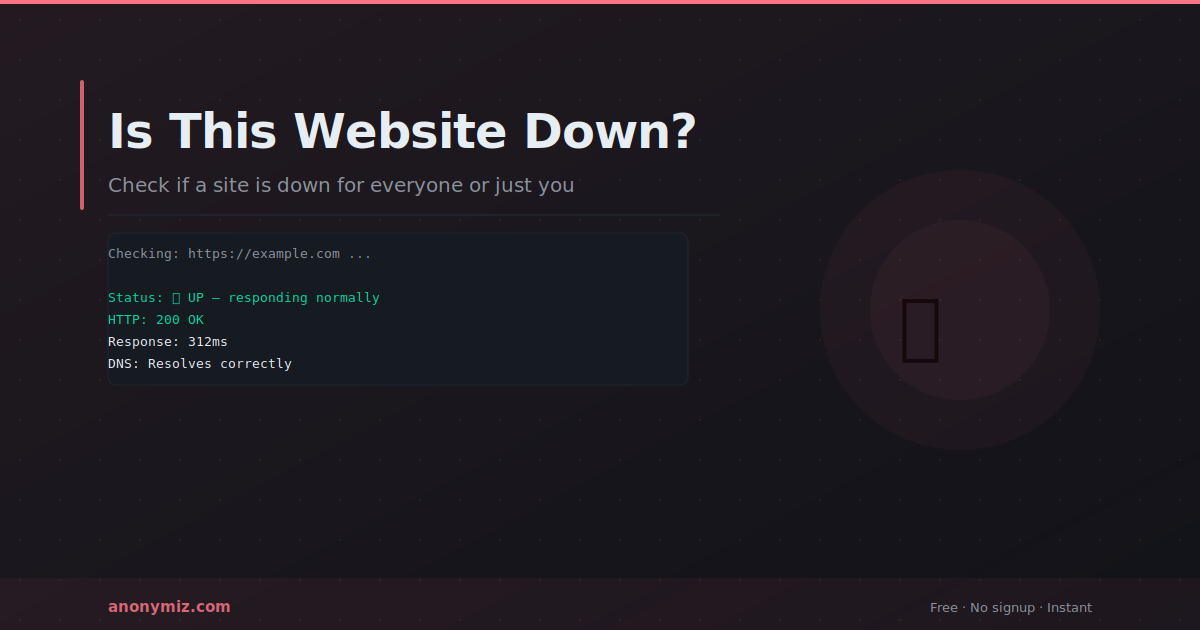
The Anonymiz Website Down Checker tests any URL from an external server and reports the HTTP status code, response time, and DNS resolution. The status code tells you what is happening: 200 means up and responding normally. 404 means the specific page was not found — server is running but that page does not exist. 500 means a server error. 503 means overloaded or maintenance. A timeout usually means the server is completely offline.
What to Do When Your Own Site Is Down
Check your hosting provider status page first. If provider is operating normally, check your site error logs — common causes are database connection failures, PHP memory limit exceeded, and file permission errors. Set up automated uptime monitoring — UptimeRobot free tier checks every 5 minutes and alerts you by email when your site goes down.
Our Website Down Checker requests the URL directly from our own server and reports exactly what came back: the HTTP status code, response time, the resolved IP, any redirects followed, and the connection error if there was one. A single honest check from a real vantage point tells you more than a dashboard of results from services pretending to be in ten different countries.
Frequently Asked Questions
What does it mean if a site loads sometimes but not others?
Intermittent availability typically indicates server overload, a flaky network connection, or a load balancer where one server in the pool is failing. This requires server-side investigation and is different from complete downtime.
How often should I monitor my own site?
Automated monitoring every 1 to 5 minutes is standard. Manual checking is impractical — you need to know about outages immediately, not when a customer reports them.
Why do some checkers say a site is down when it is actually up?
Some checkers test from several "locations" that are really just different free proxy services rather than genuine regional servers. When one of those proxies is rate-limited or temporarily blocked, the checker reports that location as offline, even though the site itself is fine. Look for a tool that tells you exactly where the check ran from and shows the raw HTTP status code, rather than one that just shows a grid of green and red flags with no detail behind them.
What is the difference between a 4xx and a 5xx status code?
A 4xx code (like 404 or 403) means the server responded, so the site is up, but that specific page or request had a problem. A 5xx code (like 500 or 503) means the server itself failed to handle the request, which points to a genuine server-side issue. A checker reporting a 4xx as "down" is misleading you — the host is reachable, only that URL is wrong.
Can a website be down for one country but not another?
Yes, and this is common with CDN or DNS misconfigurations that only affect specific regions, or with sites that geo-block certain countries entirely. A check from a single location cannot rule this out. If you suspect a regional issue specifically, look for a checker that is explicit about testing from more than one real location, and treat single-location tools as confirming "up somewhere" rather than "up everywhere."
Does a slow response mean the site is going down?
Not necessarily, but it is worth watching. A response time climbing from 200ms to several seconds often precedes a full outage, particularly under traffic spikes or during a DDoS attack. If you run your own site, treat a sustained increase in response time as an early warning rather than waiting for a full failure.